Orkut microsummaries
I wrote some simple micro-summary generators for . Here is what each one does: Last visitor: If profile visit is enabled, this micro-summary will tell you who visited your profile last. Karma: This...
I wrote some simple micro-summary generators for Orkut. Here is what each one does:
Last visitor: If profile visit is enabled, this micro-summary will tell you who visited your profile last. Karma: This indicates your 3 karma values. Next birthday: This indicates whose birthday is next. Fans: This indicates the number of fans you have.
Here are the micro-summary generators.
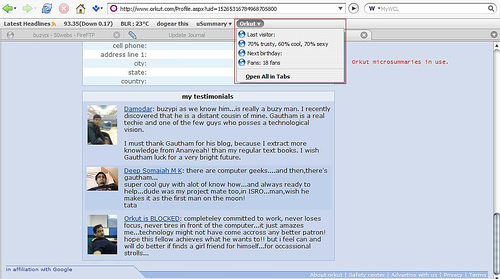
In order to learn more about microsummaries click here. I will describe the steps below for using my orkut microsummary generators.
1. Install all the generators from the link given above. 2. Go to Orkut home. 3. Click on Bookmarks -> Bookmark this page. 4. In the Name option, click on the drop down menu. You should see the microsummaries in action. Select one and click OK. 5. Repeat steps 3 and 4 for each of the microsummaries. 6. For the karma microsummary, go to your profile page and repeat steps 3 and 4.
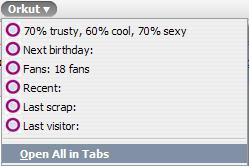
(Please note: Some values have been deliberately removed.)
The fun is it is live, which means any changes are almost instantaneously reflected.